
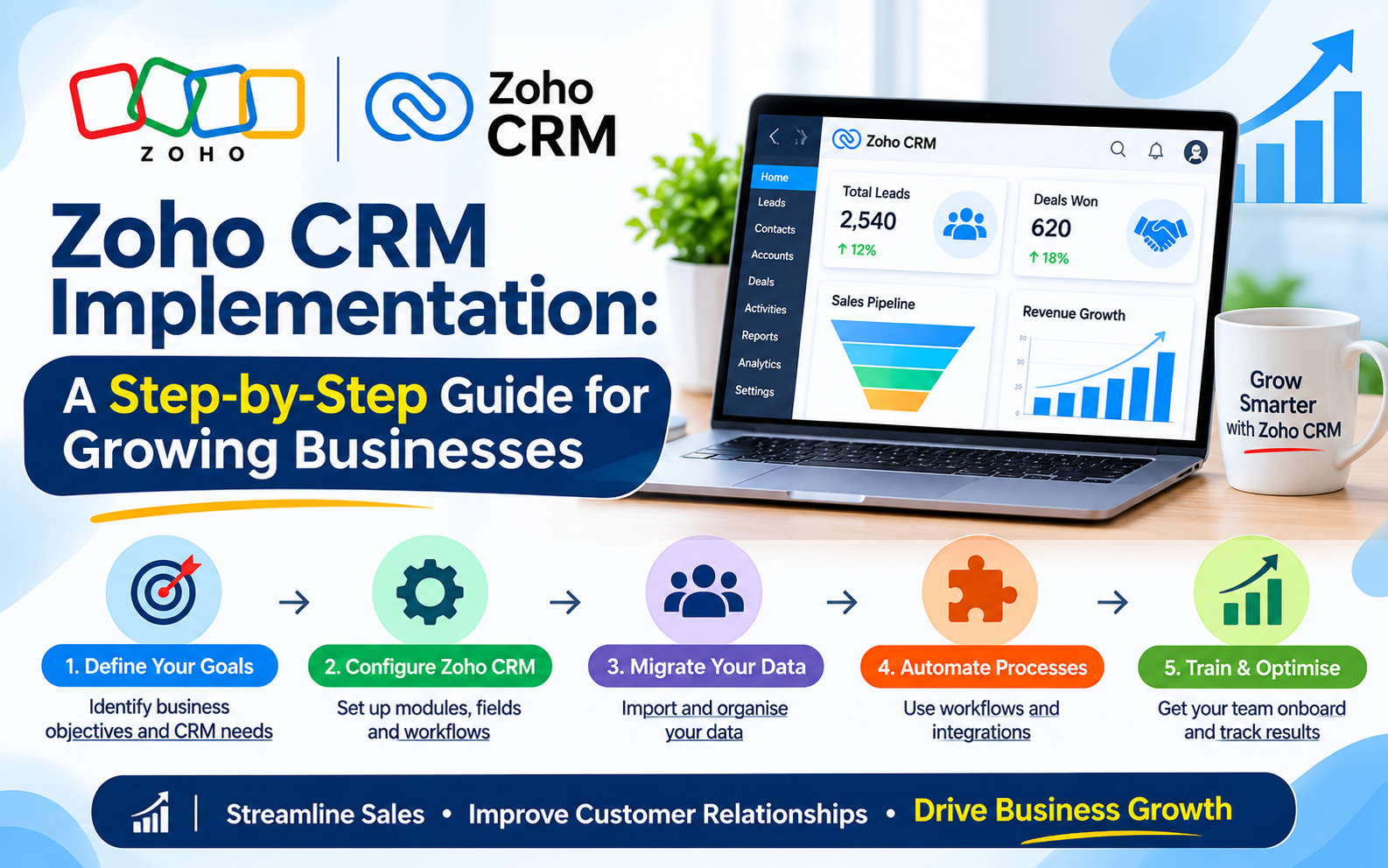
Growing businesses often face a common problem: customer information is scattered across spreadsheets, emails, phone calls, messaging apps, and different departments. Sales teams struggle to track leads, managers lack clear visibility into pipelines, and follow-ups are missed because processes depend on manual work.
Zoho CRM implementation helps businesses solve these challenges by creating a central system to manage leads, customers, sales activities, communication, and business workflows. When implemented correctly, a CRM can help businesses improve sales efficiency, reduce repetitive tasks, and make better decisions using real-time information.
However, simply purchasing CRM software is not enough. Businesses need a clear implementation strategy, properly structured data, customized workflows, integrations, and employee training.
This Zoho CRM Implementation Guide explains how growing businesses can plan, configure, deploy, and optimize Zoho CRM to support long-term growth.
What Is Zoho CRM Implementation?
Zoho CRM implementation is the process of configuring and deploying Zoho Customer Relationship Management software to match an organization's sales processes, customer management requirements, reporting needs, and business objectives.
It involves more than creating user accounts. A complete implementation may include:
- Business requirement analysis
- CRM module and field configuration
- Lead and customer data migration
- Sales pipeline setup
- Workflow automation
- Integration with existing business applications
- User access management
- Dashboard and report creation
- Employee training
- Testing, deployment, and ongoing optimization
The objective is to make the CRM fit the business instead of forcing employees to follow a complicated or unsuitable system.
For a growing business, the right CRM implementation creates a consistent process from the first customer inquiry to lead qualification, opportunity management, sales closure, and customer retention.
Why Is Zoho CRM Important for Growing Businesses?
As businesses expand, customer interactions and sales activities become more complex. Managing them manually becomes difficult, particularly when multiple teams, locations, products, and customer segments are involved.
Zoho CRM provides a central platform that helps businesses organize customer information and manage sales activities.
1. Centralized Customer Information
Sales representatives can access customer contact details, enquiry history, meetings, emails, notes, and previous interactions from a single system.
This reduces information gaps when multiple employees work with the same customer.
2. Better Lead Management
Businesses can track leads from different sources, including websites, campaigns, referrals, events, phone calls, and social media.
Each lead can be assigned to the appropriate salesperson based on territory, industry, product, or other business rules.
3. Automated Follow-Ups
CRM automation can remind sales representatives about pending calls, schedule follow-up activities, assign leads, and send notifications when important actions are required.
This reduces dependence on manual reminders.
4. Improved Sales Visibility
Managers can view pipeline stages, sales activities, open opportunities, conversion rates, and forecast information through dashboards and reports.
These insights help identify bottlenecks and improve sales planning.
5. Scalable Business Processes
CRM Implementation for Growing Businesses should support future expansion.
As an organization adds employees, products, locations, and new customer segments, the CRM should be able to support more complex workflows without requiring the entire system to be rebuilt.
Businesses planning a broader technology transformation can also explore Gigahertz Consultants' IT consultancy solutions to understand how technology planning and consulting can support business operations and growth.
Zoho CRM Implementation: Step-by-Step Process
A successful CRM project should follow a structured implementation plan. The following steps help businesses avoid common configuration mistakes and improve user adoption.
Step 1: Identify Business Goals and Requirements
Before beginning Zoho CRM Setup, understand why your organization needs a CRM.
Avoid starting with software features. Start with business problems.
For example, a manufacturing company may want to track dealer inquiries, product quotations, sales representatives, and distributor follow-ups. An IT services company may need to manage website enquiries, discovery calls, proposals, project opportunities, and recurring client relationships.
Identify the main goals of your CRM project:
- Improve lead response time
- Increase lead-to-customer conversion
- Reduce missed follow-ups
- Standardize the sales process
- Improve sales forecasting
- Track sales performance
- Centralize customer data
- Automate repetitive sales tasks
- Improve customer retention
Document the existing sales process, including how leads enter the business, who handles them, how opportunities are qualified, and what happens after a sale.
Practical tip: Conduct requirement discussions with sales representatives, managers, marketing teams, customer support, and IT stakeholders. Employees who use the CRM daily should be involved in designing the system.
Businesses with complex technology requirements can begin by evaluating their existing systems and identifying the right implementation approach through IT consultancy services.
Step 2: Plan the CRM Structure and Modules
Once business requirements are clear, decide how information should be organized inside Zoho CRM.
Common CRM modules include:
Leads
Store information about potential customers who have not yet been qualified.
Typical fields include:
- Lead name
- Company name
- Email address
- Phone number
- Industry
- Lead source
- Product or service interest
- Lead status
- Assigned sales representative
Contacts
Maintain information about individual people associated with existing customers or business accounts.
Accounts
Manage organizations, companies, institutions, distributors, and business customers.
Deals
Track sales opportunities through defined pipeline stages.
For example:
New Opportunity → Qualification → Requirement Discussion → Proposal Sent → Negotiation → Closed Won / Closed Lost
Activities
Record calls, meetings, tasks, follow-ups, and sales-related interactions.
The CRM structure should be designed around your actual business process. Avoid adding unnecessary modules, fields, or stages that make the system difficult to use.
Step 3: Complete Zoho CRM Setup
Zoho CRM setup involves configuring the foundation of the system before introducing it to employees.
Important configuration activities include:
- Organization details and business settings
- User accounts and roles
- Profiles and permissions
- Modules and layouts
- Custom fields
- Picklist values
- Lead assignment rules
- Sales pipeline stages
- Email configuration
- Notifications
- Business hours
- Currency and regional settings
For businesses operating in Bangalore with customers across India and overseas markets, the CRM should support appropriate currencies, time zones, sales territories, and business communication requirements.
Establish Role-Based Access
Not every employee needs access to every customer record.
For example:
- Sales representatives can access their assigned leads and deals.
- Sales managers can review team performance and pipeline information.
- Marketing teams can manage campaign-related leads.
- Administrators can manage configurations and permissions.
Proper access management helps protect business information and reduces unnecessary access.
Organizations with cloud infrastructure requirements can also review Gigahertz Cloud Services when evaluating infrastructure, scalability, and cloud-related business technology needs.
Step 4: Customize Zoho CRM to Match Your Sales Process
Zoho CRM Customization allows businesses to configure the platform according to their operational requirements.
Customization should improve usability and business efficiency without making the CRM unnecessarily complicated.
Common customization activities include:
Custom Fields
Add fields to capture business-specific information.
Examples:
- Product category
- Annual revenue
- Project budget
- Customer location
- Requirement timeline
- Industry segment
- Decision-maker status
- Competitor information
Custom Layouts
Organize fields so users can easily understand and update customer information.
Separate mandatory information from optional information to reduce data entry effort.
Sales Pipeline Customization
Define stages based on the actual sales process.
For a B2B IT company, the pipeline may look like:
- New inquiry
- Initial contact
- Requirement analysis
- Technical discussion
- Proposal submitted
- Commercial negotiation
- Closed won
- Closed lost
The pipeline should accurately reflect how sales opportunities move through the organization.
Validation Rules
Validation rules help prevent incomplete or incorrect information.
For example, a sales representative may be required to enter the expected deal value and closing date before moving an opportunity to the proposal stage.
The goal of Zoho CRM customization is not to add more features. It is to make the CRM easier to use and more aligned with business operations.
Step 5: Clean and Migrate Existing Data
Data migration is one of the most important stages of CRM implementation.
Businesses frequently maintain customer records in Excel files, legacy CRMs, email systems, or different departmental databases.
Migrating poor-quality data can create problems such as duplicate leads, incorrect phone numbers, missing customer information, and unreliable reports.
Before migration, perform data cleansing.
Data Migration Checklist
- Remove duplicate customer records.
- Standardize phone numbers and email addresses.
- Correct company names and spelling errors.
- Remove outdated or irrelevant records.
- Identify mandatory fields.
- Map existing fields to Zoho CRM fields.
- Check data ownership and assignment.
- Prepare backup copies of source files.
- Test migration with a sample dataset.
- Validate migrated records.
For example, a business may have 10,000 spreadsheet records but only 7,500 unique and usable contacts after data cleaning.
Migrating only relevant, accurate data improves CRM usability and reporting quality.
Businesses should also consider whether they have appropriate permissions and lawful grounds to import and use customer personal data.
Step 6: Configure Workflow Automation
Automation is one of the biggest advantages of Zoho CRM.
It can help businesses reduce repetitive tasks and ensure that important sales activities happen consistently.
Examples of useful CRM automation include
Lead Assignment
Automatically assign incoming leads to sales representatives based on location, product category, or industry.
Follow-Up Reminders
Create reminders when a salesperson needs to call a customer or follow up on a quotation.
Lead Notifications
Notify the sales team when a new high-priority inquiry enters the CRM.
Deal Stage Automation
Trigger tasks or notifications when an opportunity moves from one pipeline stage to another.
Approval Workflows
Create approval processes for discounts, quotations, or special pricing requests.
Example Workflow
When a website enquiry is received:
- The lead is created in Zoho CRM.
- The system identifies the lead's industry and location.
- The lead is assigned to the appropriate sales representative.
- An instant notification is sent to the employee.
- A follow-up task is created.
- The sales representative contacts the lead.
- The CRM records the activity and updates the lead status.
This process reduces manual work and makes lead management more consistent.
Step 7: Integrate Zoho CRM With Existing Business Applications
Growing businesses often use multiple applications for marketing, communication, finance, customer support, and operations.
Integrations help connect these applications and reduce the need to enter the same information in different systems.
Depending on business requirements, Zoho CRM may be integrated with:
- Business email platforms
- Website enquiry forms
- Marketing automation applications
- Customer support systems
- Accounting and billing applications
- Telephony systems
- WhatsApp communication tools
- ERP platforms
- E-commerce systems
- Custom applications through APIs
For example, when a customer submits a website form, the inquiry can automatically enter the CRM. The sales team can receive an alert, while marketing can track the campaign source.
Before integration, evaluate data synchronization, API limitations, authentication, error handling, ownership, and security requirements.
Businesses with complex integration requirements should plan the architecture carefully instead of connecting applications without testing.
For organizations moving business applications to cloud environments, Gigahertz Cloud Services may also be relevant when assessing infrastructure and cloud technology requirements.
Step 8: Create Dashboards and Reports
A CRM becomes more valuable when it provides actionable insights rather than simply storing records.
Create dashboards based on the needs of different teams.
Sales Representative Dashboard
- Assigned leads
- Pending follow-ups
- Today's activities
- Open opportunities
- Deals closing this month
Sales Manager Dashboard
- Total pipeline value
- Sales by representative
- Lead conversion rate
- Deals won and lost
- Average sales cycle
- Revenue forecast
Marketing Dashboard
- Leads by source
- Campaign performance
- Qualified leads
- Lead-to-opportunity conversion
- Cost per lead, where integrated campaign cost data is available
Reports should be reviewed regularly to identify opportunities for improvement.
For example, if a large number of opportunities are stuck in the proposal stage, management can investigate pricing, response time, proposal quality, or follow-up practices.
Step 9: Test, Train, and Deploy Zoho CRM
Before launching the CRM across the organization, conduct proper testing.
CRM Testing Checklist
- Can users create and update records?
- Are leads assigned correctly?
- Do workflows trigger as expected?
- Are email notifications delivered?
- Are permissions configured correctly?
- Are integrations functioning?
- Are reports displaying accurate information?
- Is migrated data complete?
- Can users access the system on their required devices?
Train Employees Before Go-Live
Employee adoption is a major factor in CRM success.
Training should cover:
- Creating and managing leads
- Updating deal stages
- Logging calls and meetings
- Completing follow-up tasks
- Using dashboards
- Searching for customer records
- Following the organization's CRM data policies
Consider launching the CRM with a pilot team before deploying it company-wide.
This allows the organization to identify usability issues, improve workflows, and collect employee feedback.
Step 10: Monitor, Optimize, and Scale
CRM implementation does not end when the system goes live.
Businesses should regularly review system performance, data quality, employee adoption, and sales process effectiveness.
Monitor key metrics such as:
- Lead response time
- Lead conversion rate
- Opportunity conversion rate
- Follow-up completion rate
- Sales cycle duration
- Pipeline value
- Revenue generated
- CRM adoption rate
- Duplicate records
As the business grows, additional automation, modules, integrations, and reporting capabilities may be required.
Regular reviews help ensure the CRM continues to support changing business requirements.
Zoho CRM Implementation for Different Industries
A CRM implementation should be tailored to the industry, customer journey, and business processes.
IT and SaaS Companies
IT and SaaS businesses can use CRM to manage product inquiries, software demonstrations, subscriptions, renewal opportunities, enterprise sales, and customer onboarding.
Manufacturing Companies
Manufacturers can track dealer inquiries, distributor relationships, product specifications, quotations, sales territories, and long sales cycles.
BFSI Companies
Financial service organizations may use CRM to manage inquiries, customer interactions, sales opportunities, and service requests.
They should carefully assess access permissions, data protection, regulatory requirements, and information security before implementation.
Healthcare Organizations
Healthcare organizations can use CRM for appointment inquiries, institutional relationships, patient communication workflows, and service coordination.
Sensitive personal and health-related information requires appropriate safeguards, access controls, and compliance review.
Renewable Energy Companies
Renewable energy companies can manage project enquiries, EPC opportunities, partner relationships, proposals, site assessments, and project sales pipelines.
Universities and Research Institutions
Educational institutions can organize student inquiries, admissions campaigns, course information requests, partnerships, and alumni engagement.
AI and ML Companies
AI/ML organizations can manage enterprise prospects, proof-of-concept discussions, technical evaluation stages, contracts, and account relationships.
A well-planned CRM implementation makes it easier for each industry to manage customer interactions while maintaining consistent processes.
Common Zoho CRM Implementation Challenges and Solutions
1. Poor Data Quality
Problem: Duplicate, incomplete, and outdated records affect reports and sales operations.
Solution: Clean and validate data before migration. Establish data entry standards.
2. Over-Customization
Problem: Too many fields, workflows, and modules make the CRM difficult to use.
Solution: Start with essential requirements and add complexity only when there is a clear business need.
3. Low Employee Adoption
Problem: Employees continue using spreadsheets or personal tools.
Solution: Provide practical training, simplify workflows, involve employees during configuration, and establish clear CRM usage policies.
4. Integration Issues
Problem: Applications exchange incomplete or inconsistent information.
Solution: Test integrations, define data ownership, and establish error-monitoring procedures.
5. Unclear Implementation Goals
Problem: Businesses configure features without knowing what success looks like.
Solution: Define measurable goals before deployment, such as improving follow-up completion, reducing response time, or increasing qualified opportunities.
Why Choose Zoho CRM Implementation Services?
Implementing CRM internally may be suitable for businesses with simple requirements and sufficient technical resources.
However, organizations with multiple departments, complex workflows, large data volumes, integrations, and strict security requirements may benefit from professional implementation support.
Zoho CRM Implementation Services can help businesses with:
- Business process assessment
- CRM architecture and planning
- CRM configuration
- Custom module and field development
- Workflow automation
- Data migration
- Application integration
- User training
- Testing and deployment
- Post-implementation support
An experienced implementation team can help reduce configuration errors, improve system usability, and align the CRM with the company's long-term goals.
Businesses in Bangalore can work with local technology consultants for requirement discussions, implementation planning, deployment assistance, and ongoing technical support.
To understand how technology consulting can support business requirements, explore Gigahertz Consultants' consultancy solutions.
How Gigahertz Consultants Supports Business Technology Implementation
Gigahertz Consultants provides IT consultancy, cloud services, cybersecurity, backup solutions, and technology services for organizations seeking to improve their IT infrastructure and operational capabilities.
The company has a technology consulting focus and provides services that support business infrastructure, cloud environments, security, and IT operations.
For businesses planning CRM adoption, a structured implementation approach should consider not only sales automation but also integration requirements, access management, data security, infrastructure, and business continuity.
Explore relevant Gigahertz services:
- Consultancy Solutions – technology assessment and business IT consulting.
- Cloud Services – secure, scalable cloud infrastructure.
- About Gigahertz Consultants – learn more about the company's background and expertise.
- Explore more technology insights on our blog.
A business considering CRM implementation should evaluate its requirements, existing software, data, integrations, and future scalability before selecting an implementation approach.
Conclusion: Build a Scalable Business With the Right Zoho CRM Implementation
A successful Zoho CRM implementation helps growing businesses organize customer information, improve lead management, automate follow-ups, strengthen sales visibility, and create consistent business processes.
The implementation process should begin with business requirements, followed by CRM structure planning, configuration, customization, data migration, automation, integration, testing, training, and ongoing optimization.
The right approach is to build a CRM that is simple enough for employees to use every day and flexible enough to support future growth.
Whether you are an SME, enterprise, IT company, manufacturing organization, BFSI business, healthcare provider, renewable energy company, or growing technology startup, investing in a structured CRM implementation can help establish a stronger foundation for customer relationship management.
If your business is planning a CRM transformation or needs help evaluating its technology requirements, contact Gigahertz Consultants to discuss your business requirements.
Frequently Asked Questions
1. What is Zoho CRM implementation?
Zoho CRM implementation is the process of configuring, customizing, integrating, and deploying Zoho CRM to manage leads, contacts, sales opportunities, customer interactions, and business workflows based on an organization's requirements.
2. How long does Zoho CRM implementation take?
The implementation timeline depends on the number of users, data migration requirements, customization, integrations, and workflow complexity. A basic setup may take a few days to a few weeks, while complex enterprise deployments may require several weeks or months.
3. What are the steps involved in Zoho CRM implementation?
The main steps include business requirement analysis, CRM planning, module configuration, customization, data migration, workflow automation, integrations, report creation, testing, employee training, deployment, and ongoing optimization.
4. Can Zoho CRM be customized for different industries?
Yes. Zoho CRM can be customized using modules, fields, layouts, workflows, automation rules, reports, dashboards, and integrations to support different industries and business processes, subject to the capabilities and limits of the selected edition.
5. Why do businesses need Zoho CRM implementation services?
Professional implementation services can help businesses configure the CRM correctly, migrate data, automate workflows, integrate existing applications, train employees, and reduce implementation risks. They are especially useful for organizations with complex sales processes or technical requirements.
6. How much does Zoho CRM implementation cost in Bangalore?
The cost depends on the scope of implementation, number of users, data migration, customization, integration, automation, training, and ongoing support. Businesses should obtain a requirement-based estimate rather than relying on a fixed price for every implementation.
7. Is Zoho CRM suitable for small and medium-sized businesses?
Yes. Zoho CRM can support small and medium-sized businesses by helping them manage leads, customer information, follow-ups, sales pipelines, reporting, and automation. Businesses can begin with essential features and expand as their requirements grow.
8. What should businesses consider before implementing Zoho CRM?
Businesses should identify their sales process, CRM goals, user requirements, existing data sources, integration needs, customization requirements, security policies, budget, and expected implementation timeline before starting.
Contact Gigahertz Consultants
Get in touch.
Our team of experts is ready to assist you in finding the best solutions for your unique business needs.
Office: 080-4128-7587
Email: reachus@gigahertzconsultants.com
Address: 716, 1st Floor, 3rd Main, 9th Cross, Doctor Modi Hospital Road, Chord Road, near Ganesh Temple, 2nd Stage, Bengaluru, Karnataka 560010.
Category: SCADA